

Importance sets a bubble's starting size.
More important habits start with larger bubbles, are placed closer to the centre of the screen, and in front of less important habits.
What do you do when you need reminders for absolutely everything, but a lengthy to-do list is too overwhelming? You build an app for that.
Well, I did. Here it is.
(inspired by xkcd #1106)
Bubble Habits is a visual habit tracker for Anroid, which highlights what’s important and what has been neglected, so remembering and deciding won’t use up the mental energy you need for actually doing things.

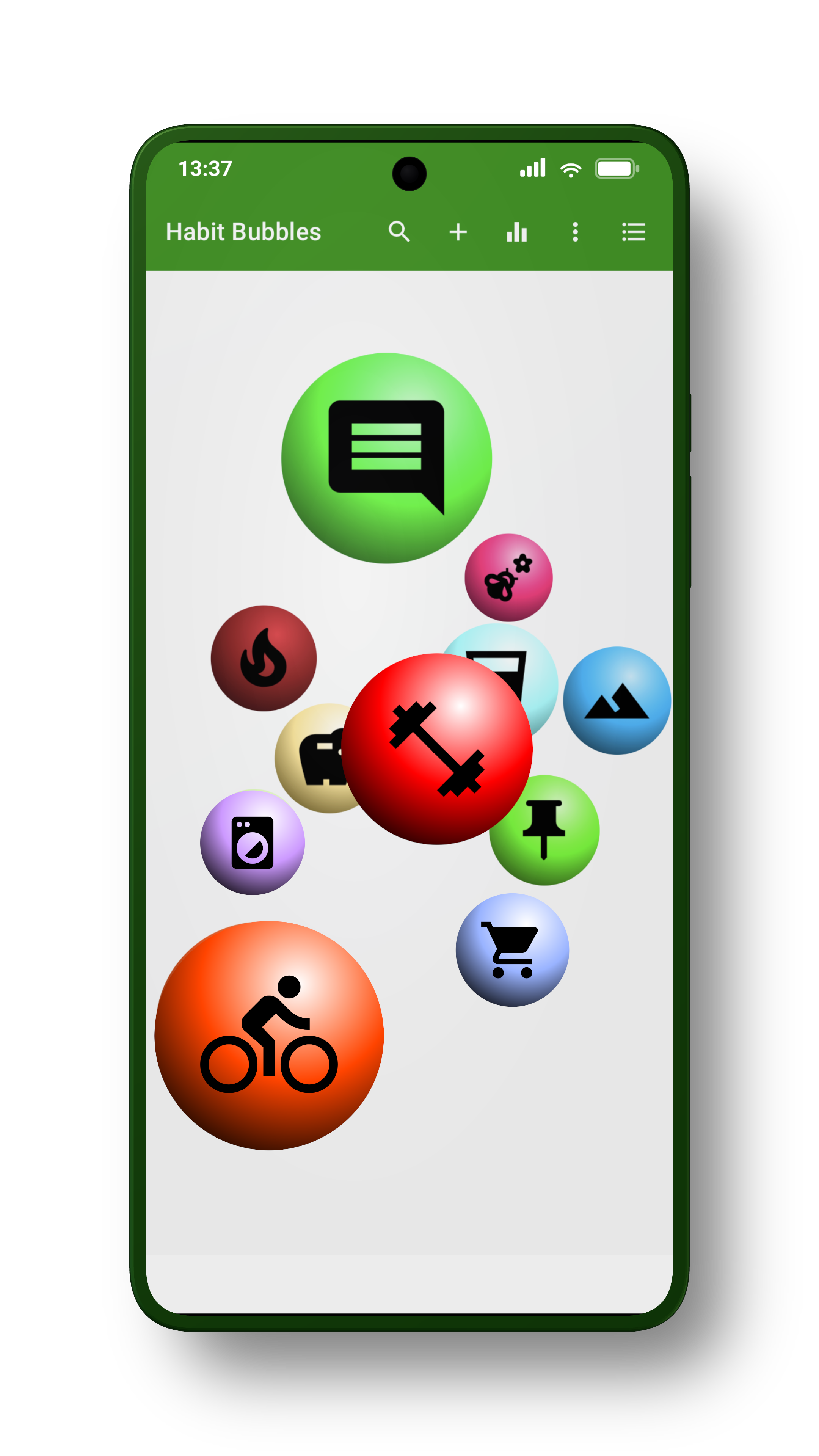
Bubbles appear when the habit becomes due, and grow over time.
Important habits start larger, and urgent habits grow faster. This makes the things you haven’t done in a while harder to overlook.
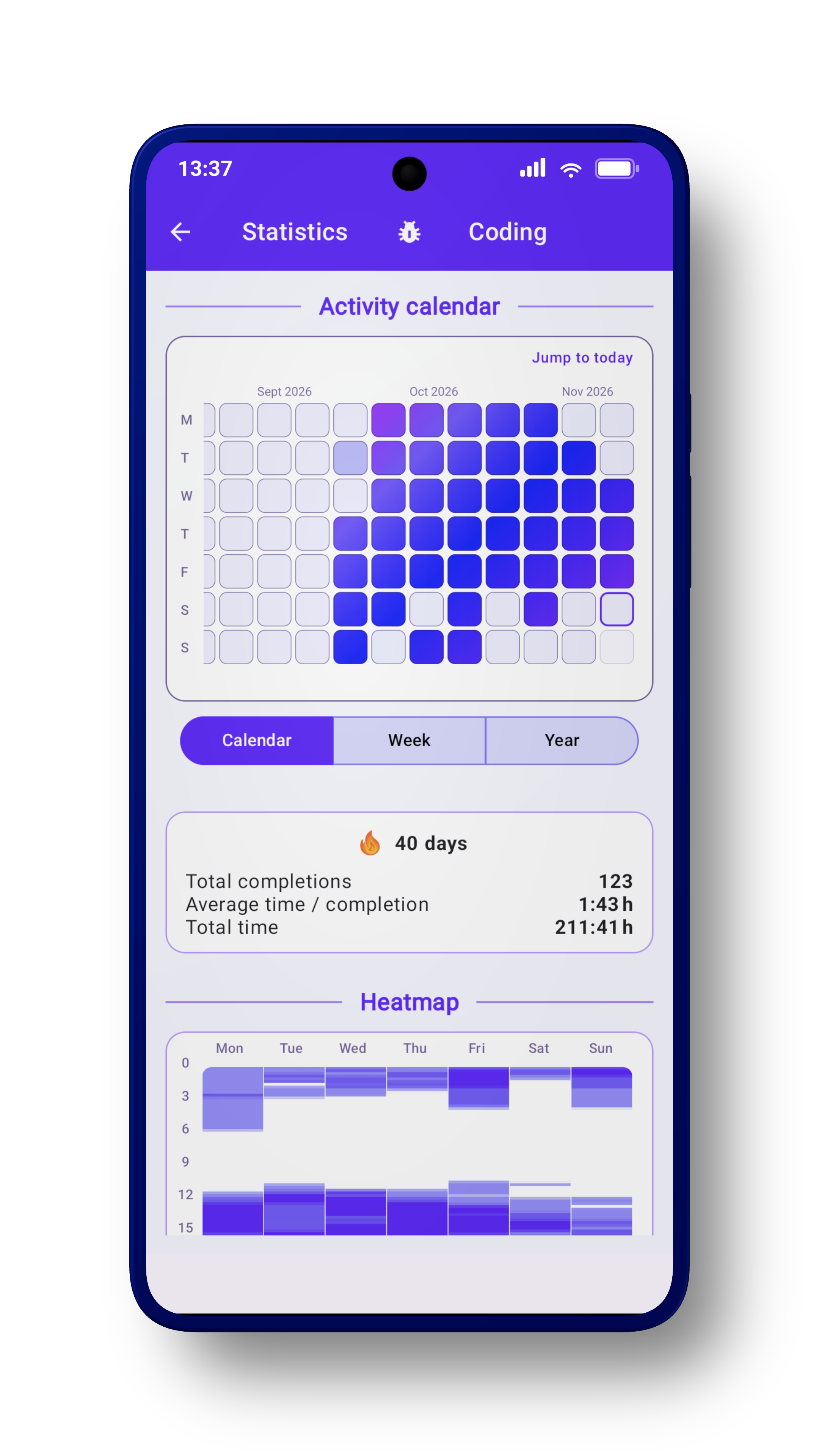
See your activity history (as daily check boxes or weekly/yearly bar charts), the average time you spend on each habit, and when you typically complete it.
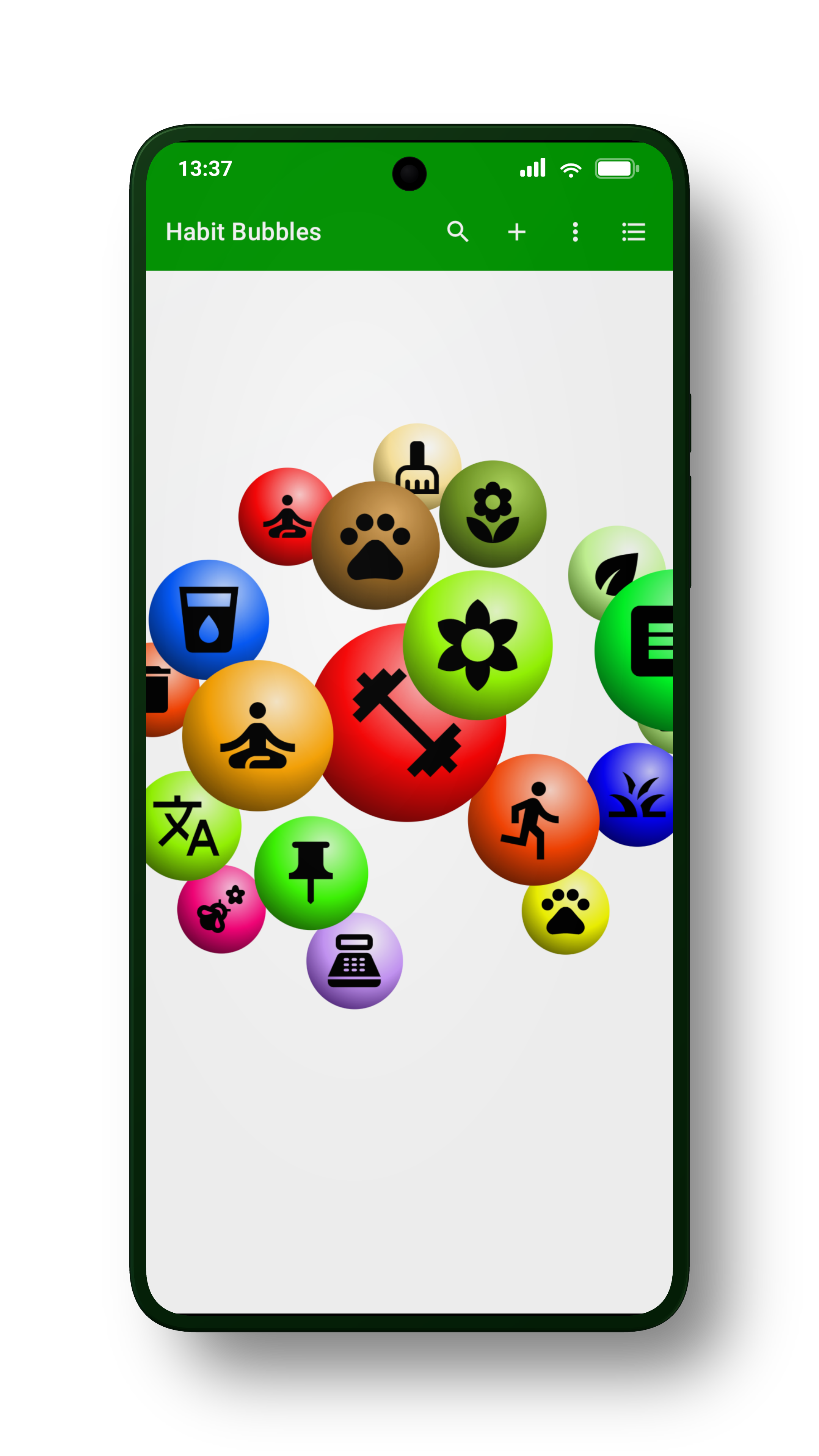
When you have lots to do, smaller and less important bubbles get hidden behind larger ones: They are not worth your focus right now, and should be in no position to stress you out.
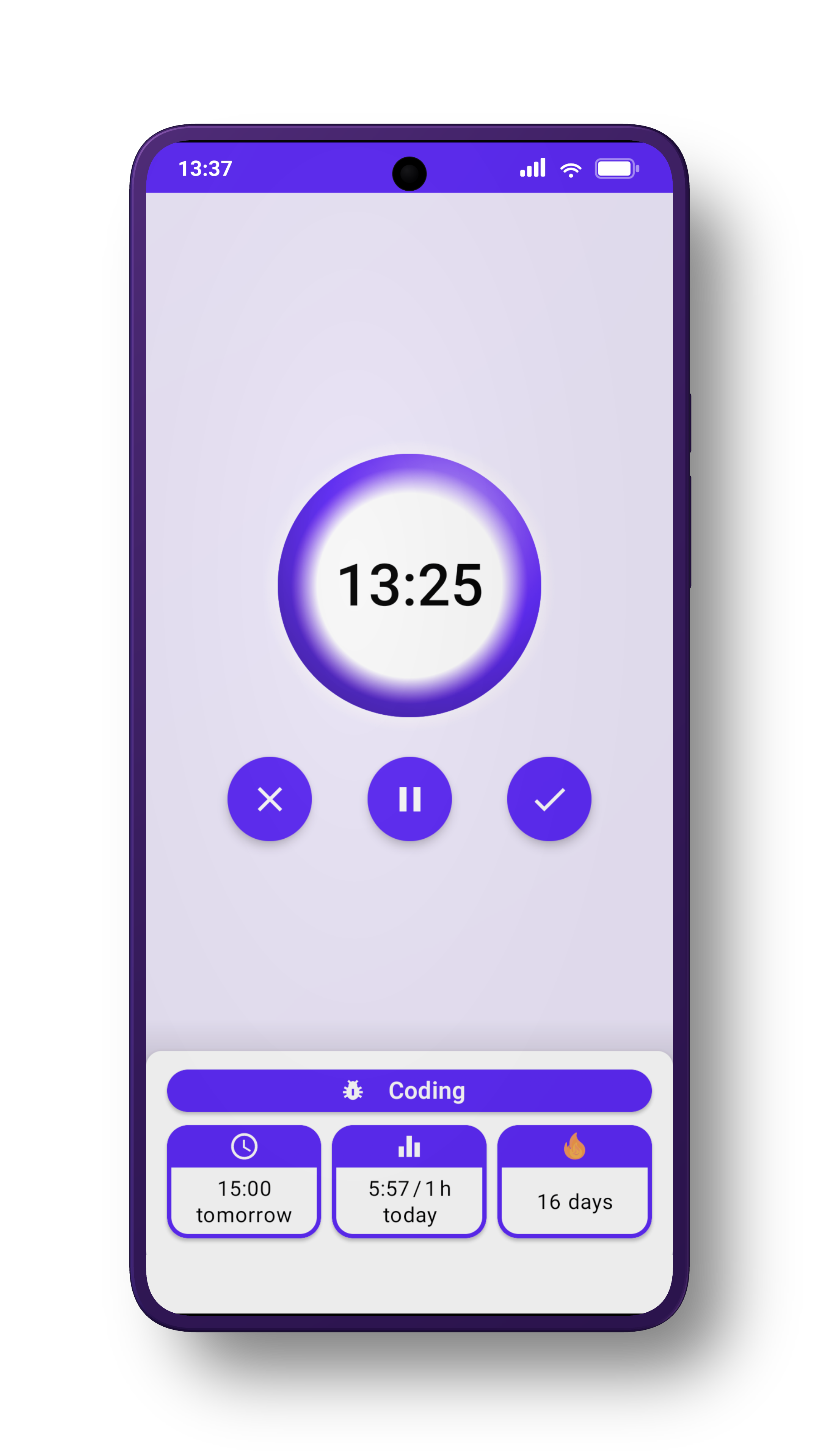
Give yourself credit for the time and effort you've invested with an easy-to-use habit timer.
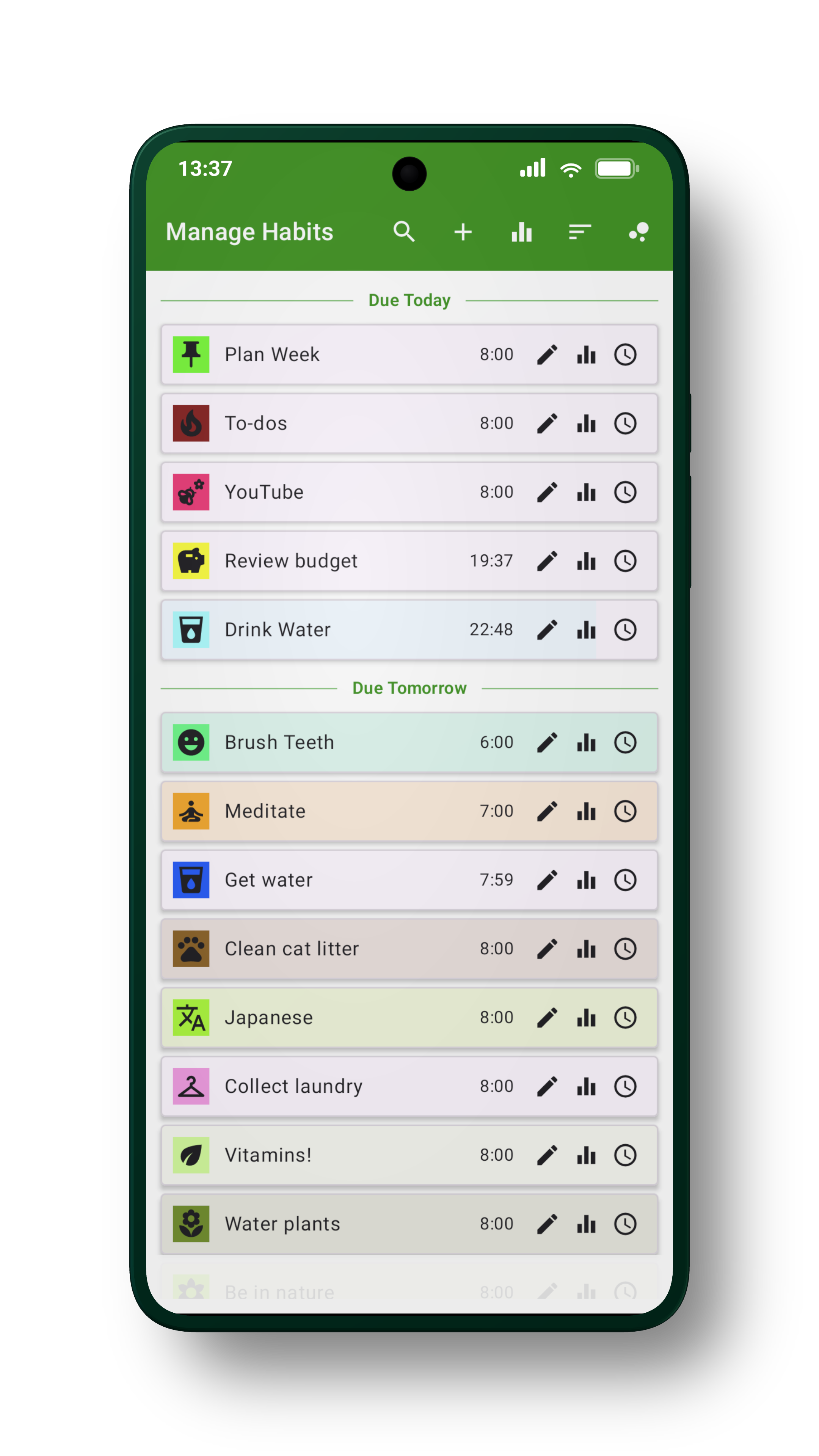
You can see your habits in a classical list form, too - sorted by name, due time, streak deadline, last completion, and importance. The background of each entry indicates its current progress.
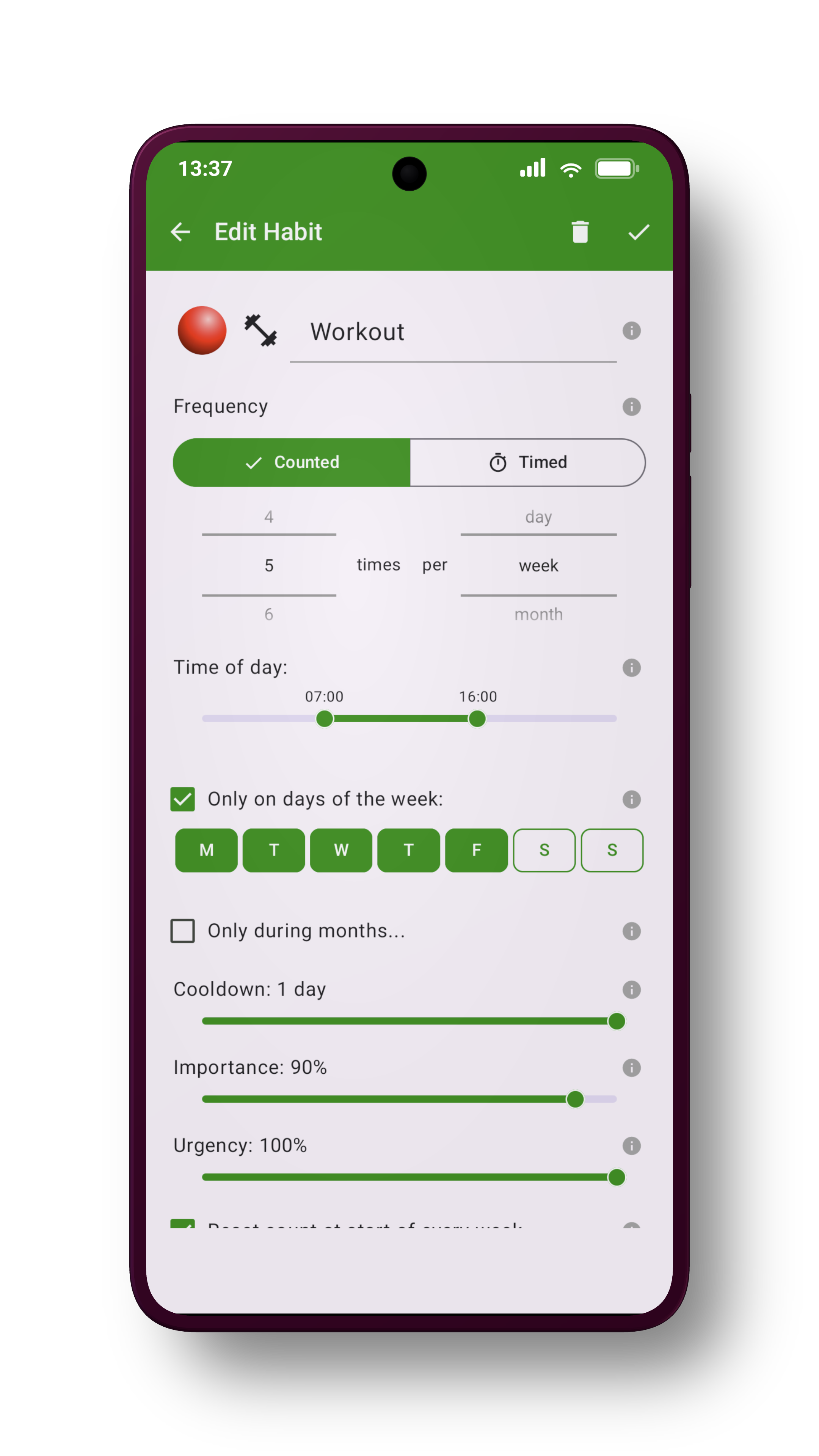
Set your targets for the number of completions or time spent over the course of a day, week, month or year. You can also choose to do the habit only on certain days of the week or month, or only during certain months!
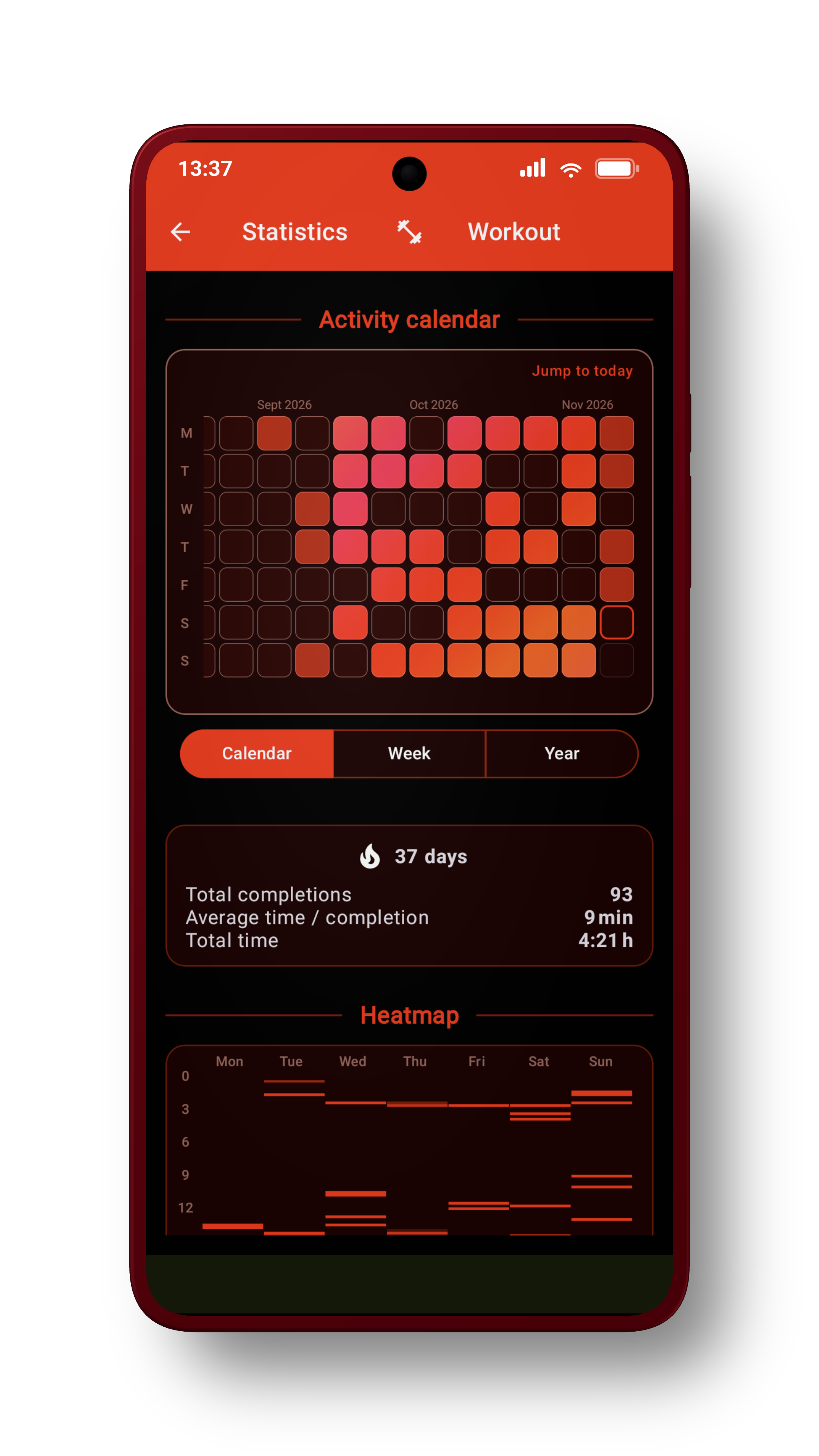
Extra shiny.
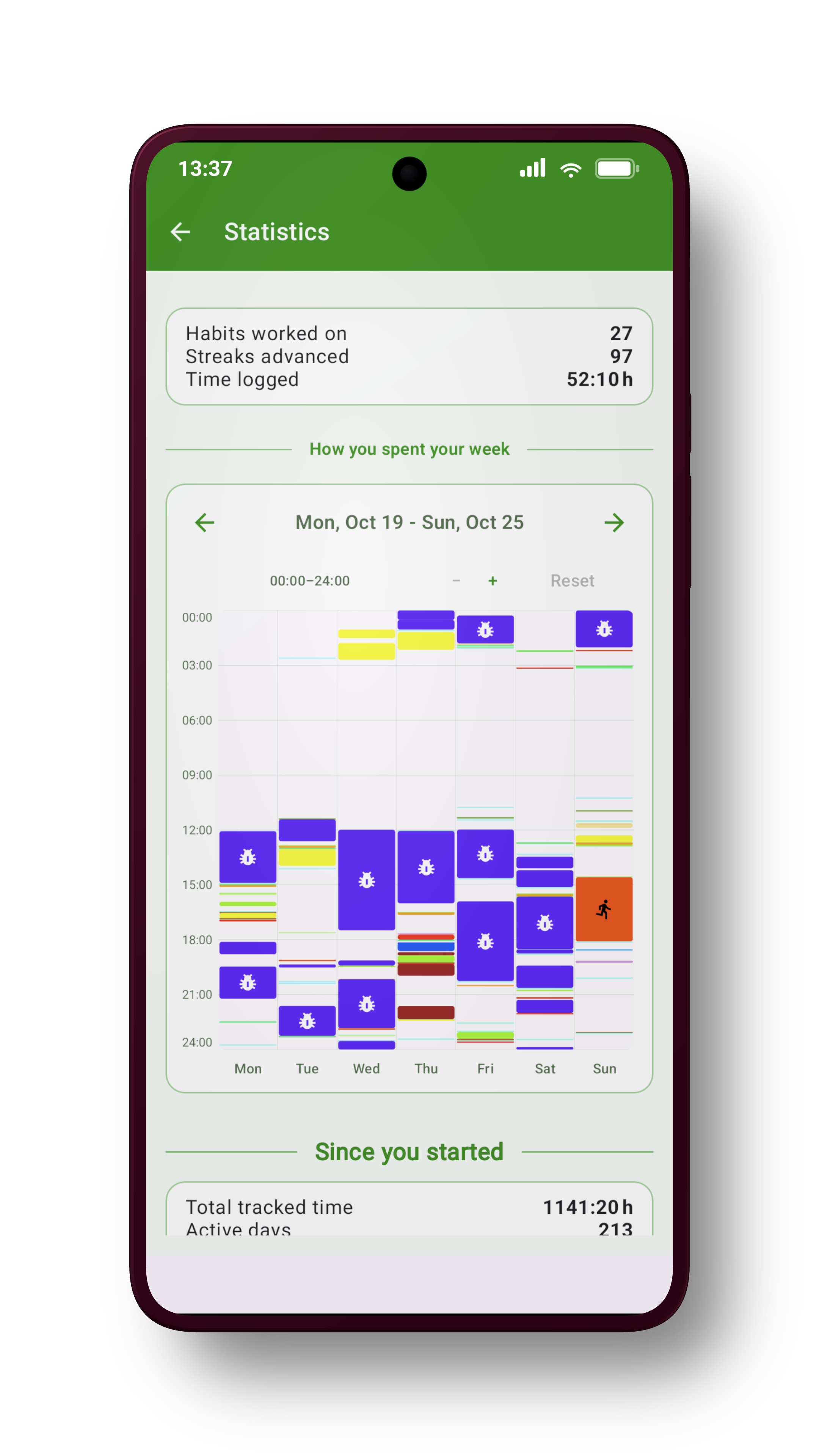
With the smoothly zoomable weekly chart, you can check! It might just turn out that you've accomplished a whole lot more than you remember~
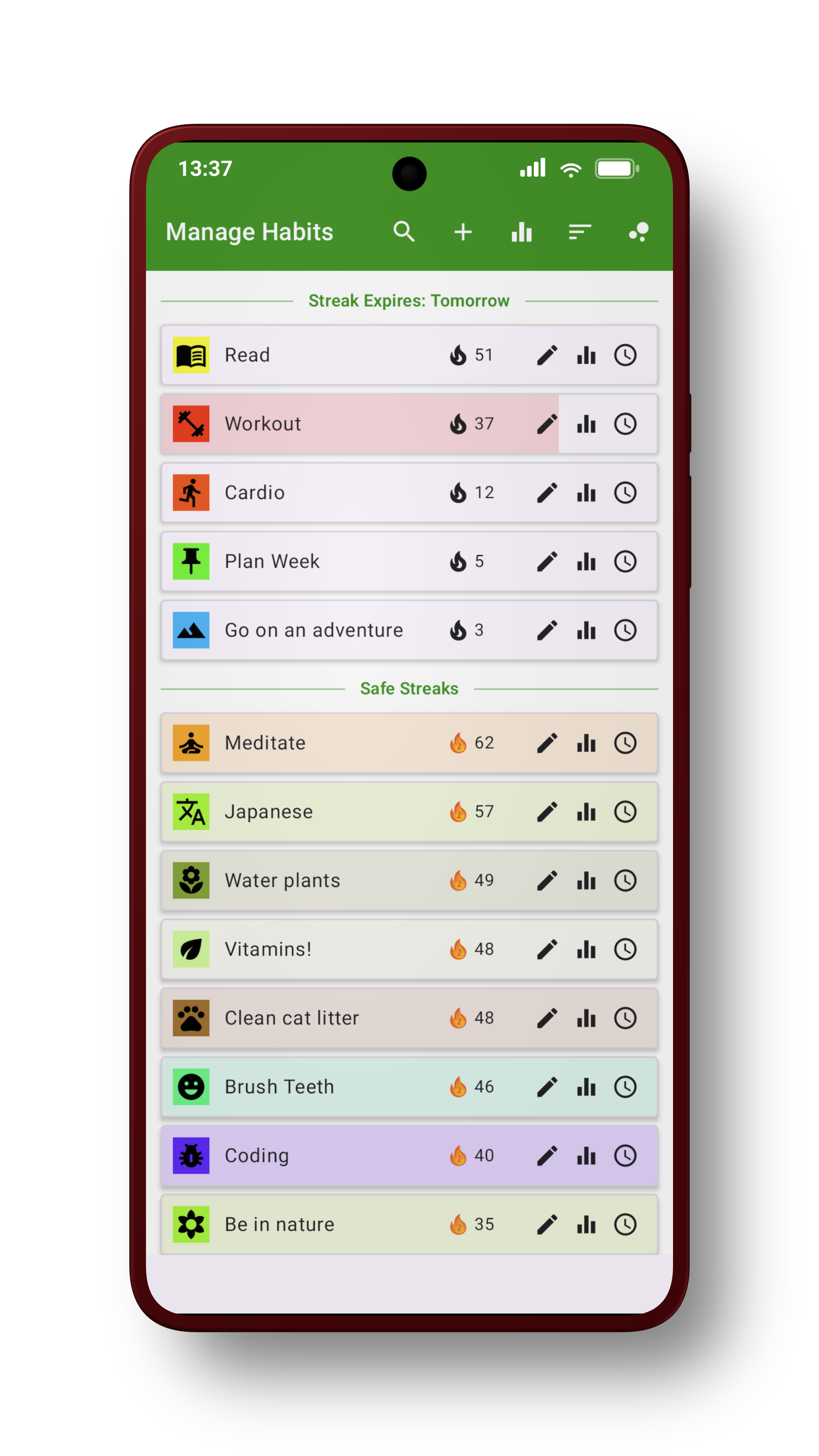
Bubble Habits has a flexible and forgiving streak system, which seamlessly adapts to the flexible scheduling. To avoid accidentally losing a streak, sort your habits by streak deadline to see the ones at risk. There's also a notification!
Why Bubble Habits?
Do you know that guilty feeling of “oh right, I wanted to do that more often” when something reminds you while you're way too busy to actually do the thing, only to completely forget again when you actually do have time?
Do you make lists upon lists of everything you need to do, and then need a break because all that planning was plenty of work already? And now the list is so overwhelmingly long that you start doing something that isn't on the list, for some reason.
Or have you ever thought “hey it would be cool to have a cute slime mascot for my app” and, for some indiscernible reason, found yourself a week later having made a little browser game instead of finishing this website? No? Just me? (it's weirdly fun, though)
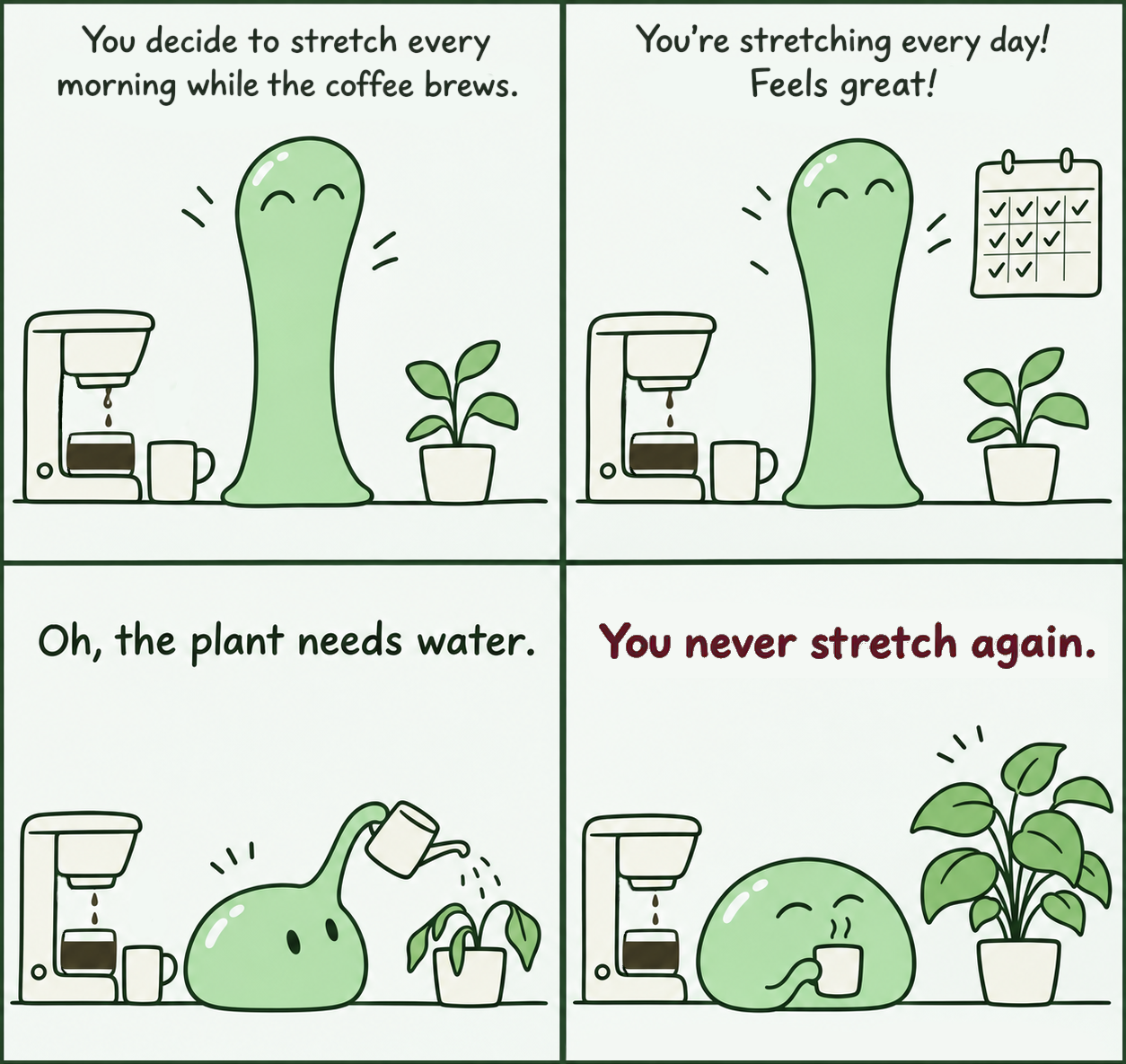
Some of us don't form habits so much as routines, where one thing leads to the next - and if anything upsets the routine (be it traveling somewhere else, or your cat sneezed), it is replaced by a new routine just as easily. That would be fine, if it wasn't so very easy for tasks to slip through the cracks, and only resurface once they've developed into a massive issue.
I needed something to help me remember, something to tell me what most needs doing right now, but without being pushy or prescribing an order, and fun enough to look at that I'd keep doing so. (Why yes, it has since turned out that I have ADHD, why would you ask.)
I wrote the first version in 2020, to get me through my PhD thesis, and have been using it to keep track of life ever since - and now, 6 years later, I finally (after losing the original source code and re-building it from scratch ><) got around to turning it into a polished, publishable version!
Bubble Habits has been really helpful for me to stay on top of things, and I sincerely hope that it can help others with similar brains, too.
See what needs your attention first
In Bubble Habits, every habit is represented by a colourful bubble with an icon. The bubble only appears when the habit is due (more on scheduling later), and slowly grows until you complete it. Each habit has two main settings: Importance and urgency, both from 1–100%. Think of them as placing your habit on the Eisenhower matrix.
More important habits start with larger bubbles, are placed closer to the centre of the screen, and in front of less important habits.

More urgent habits grow faster as they become overdue, relative to how often they are due. A daily habit therefore grows on a shorter timescale than a weekly one.





High importance · High urgency
Let’s say your daily workout is important to you, so you give it high importance and urgency: Missing a day would be bad, after all!
If you still haven’t done it by nighttime, a large bubble sits prominently in the middle, covering up other habits that might distract you.


low importance · high urgency
You want to do your laundry once a week to stay on top of it. It’s not that important - maybe 20% - but if it piles up, it will be a problem. So you set its urgency to 60%.
At the beginning of the week, it’s a small bubble you can act on if you happen to have time. If you don’t, by Sunday it’s large enough to nudge you to get it done!
Due to its low importance, the large bubble is off to the side, not covering up other habits.
Give yourself credit for time you invested
Sometimes you spend an afternoon doing things, and somehow still feel like you haven’t accomplished anything. Recording the time helps.
Select a timed habit and the timer starts immediately. The bubble fills as you work, showing what you’ve already recorded and what you’re adding now. Pause when you need a break and continue later: you don’t have to finish your whole goal in one sitting.
Your time target isn’t a requirement to keep the timer running. If you’ve finished what you wanted to do, you can mark the habit as complete for this interval, even before reaching the time target.
Put your phone down or use another app: The timer keeps running in the background. A notification reminds you it’s still going and takes you straight back when you tap it.
You can also time habits you count in repetitions. Doing the laundry still counts as one completion, but now you can find out how long it actually takes, too.
Explore your recorded time in Statistics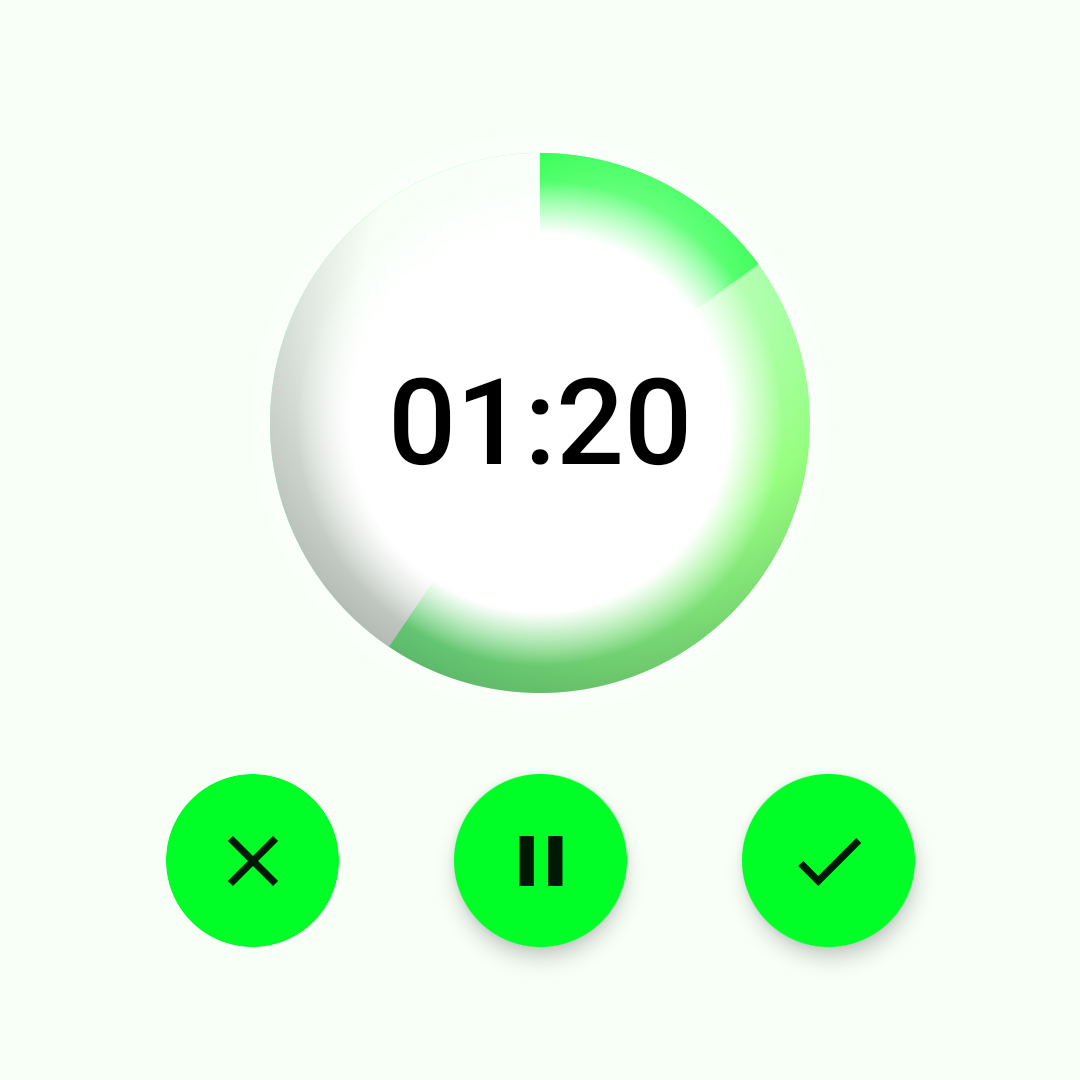
Decide how much. Let the app work out when.
Not everything needs doing every day, or at precisely 9 am on a Tuesday. Set a target in repetitions or time, per day, week, month or year.
Bubble Habits automatically works out the next due time from your target, how much you've already done, and the days and times you've made available. You don't have to reschedule the habit after every completion.
Due is a reminder, not a deadline. The due time is when the bubble appears and starts growing. You can do the habit earlier or later; once you've met your target, its next due time moves to the next interval. The only actual deadline is when a habit's streak expires; you can see in the streak list view when that happens.
Automatic scheduling
The same bubble at different moments, for a 3-times-a-week habit (all days available · preferred start: 8am · cooldown: 1 day). It appears when it becomes due, and then grows until it is marked done; at which point it disappears and is automatically rescheduled. Habit due times are distributed evenly over the available time; so if you did it immediately every time, this habit would be due on Monday, Wednesday, and Friday. In this example, it wasn't completed for the second time until Friday, so thanks to the habit's cooldown, the third completion is due on Saturday morning.
Scroll sideways to follow the week
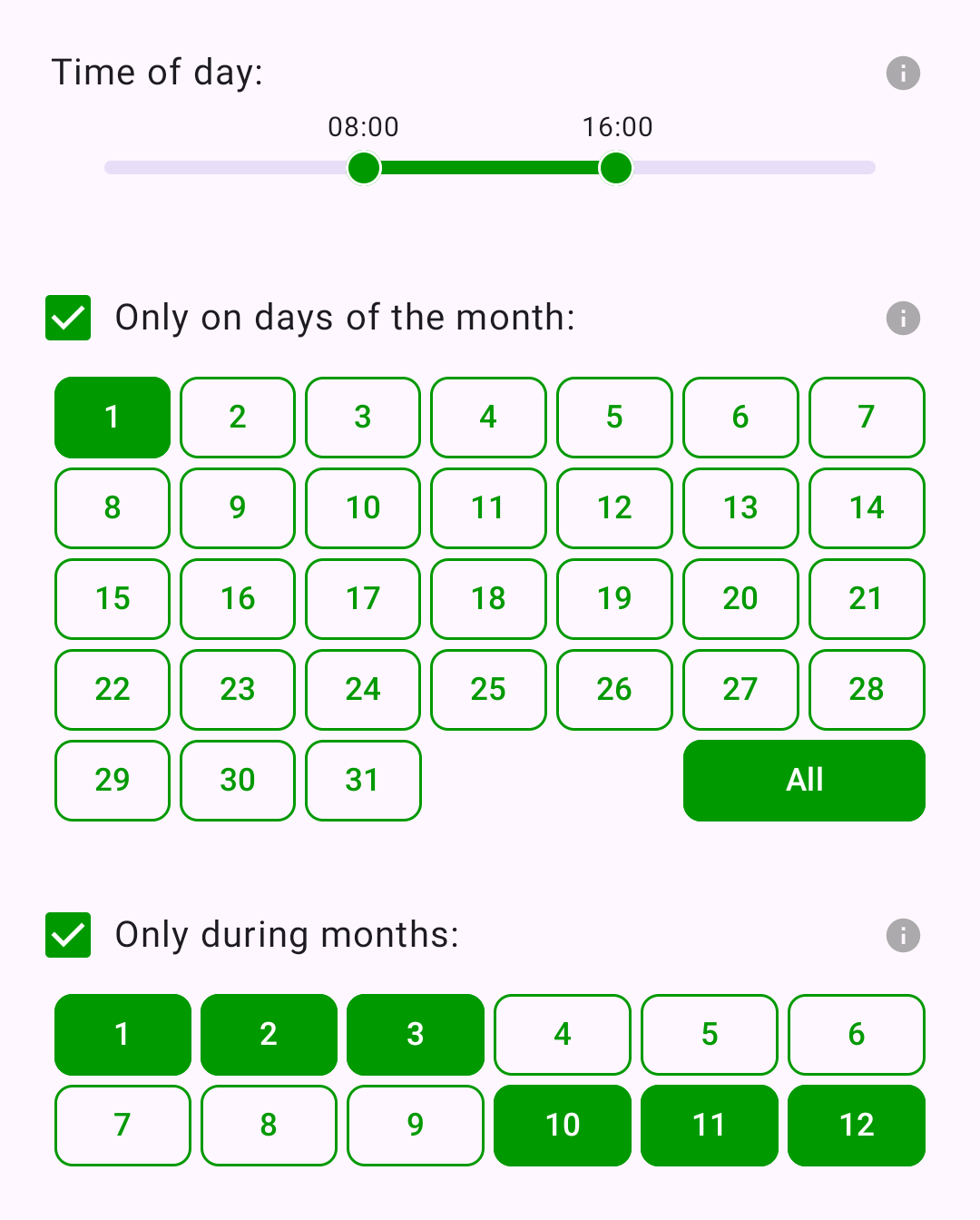
Sometimes today's plan just isn't happening. Manually change the next due time, and automatic scheduling takes over again after your next completion.
For goals where you want to catch up later, optional accumulative habits carry unfinished work into the next interval. Extra progress carries forward, too.
A little motivation to keep showing up
Keeping a streak going shouldn't require doing something every day, for every habit. In Bubble Habits, your streak counts the days you contribute while keeping up with the target you actually set.
For a weekly, monthly or yearly goal, you can do the habit whenever you feel like. Each day you contribute adds to your streak, even after you've met your target. The flame turns orange when your streak is safe for that interval.
For daily goals, it works essentially the same - except the streak doesn't count up until your daily target is achieved (since otherwise, you'd lose it by the end of the day, anyway.)
If you don't, your streak resets to zero when the next due interval begins. For a goal of three times a week, doing it twice isn't enough: you have until Sunday night to get the third one in. Otherwise, the streak resets on Monday.
Need a little last-minute motivation? Turn on a streak reminder to see which habits still need attention today before their streaks expire. Sometimes “But my streak!” is enough to get you moving.
More about how streaks workExample
| Mon | Tue | Wed | Thu | Fri | Sat | Sun | Weekly result |
|---|---|---|---|---|---|---|---|
| 1 | — | 2 | — | 3 | — | — | Week 1 3/3 · Target met The streak carries into next week. |
| — | 4 | — | 5 | — | — | — | Week 2 2/3 · Target missed The streak resets next Monday. |
| 0 reset | 1 | — | 2 | — | 3 | 4 | Week 3 4/3 · Target exceeded Safe on Saturday. Sunday adds another day. |
Rest days are fine. It’s missing the weekly target that breaks the streak, not leaving an individual day empty.
See what you've accomplished
Bubble Habits shows both single-habit and overall statistics: look back at your activity, explore your patterns, and find out how long things actually take.
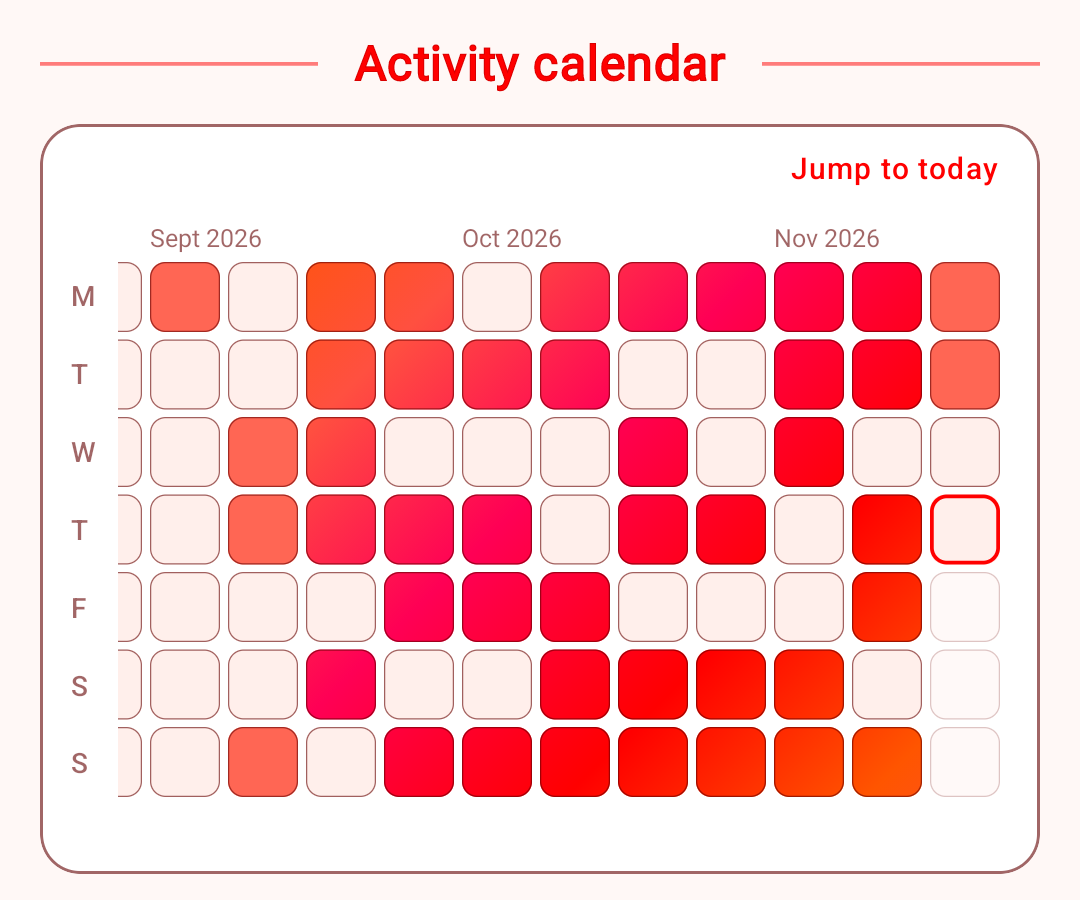
Each day on which you did the habit is coloured according to how much you did. When you meet your target for an interval, all the active days in that interval become shiny.
Scroll smoothly into the past to explore your long-term activity patterns, and tap a day to see its details.
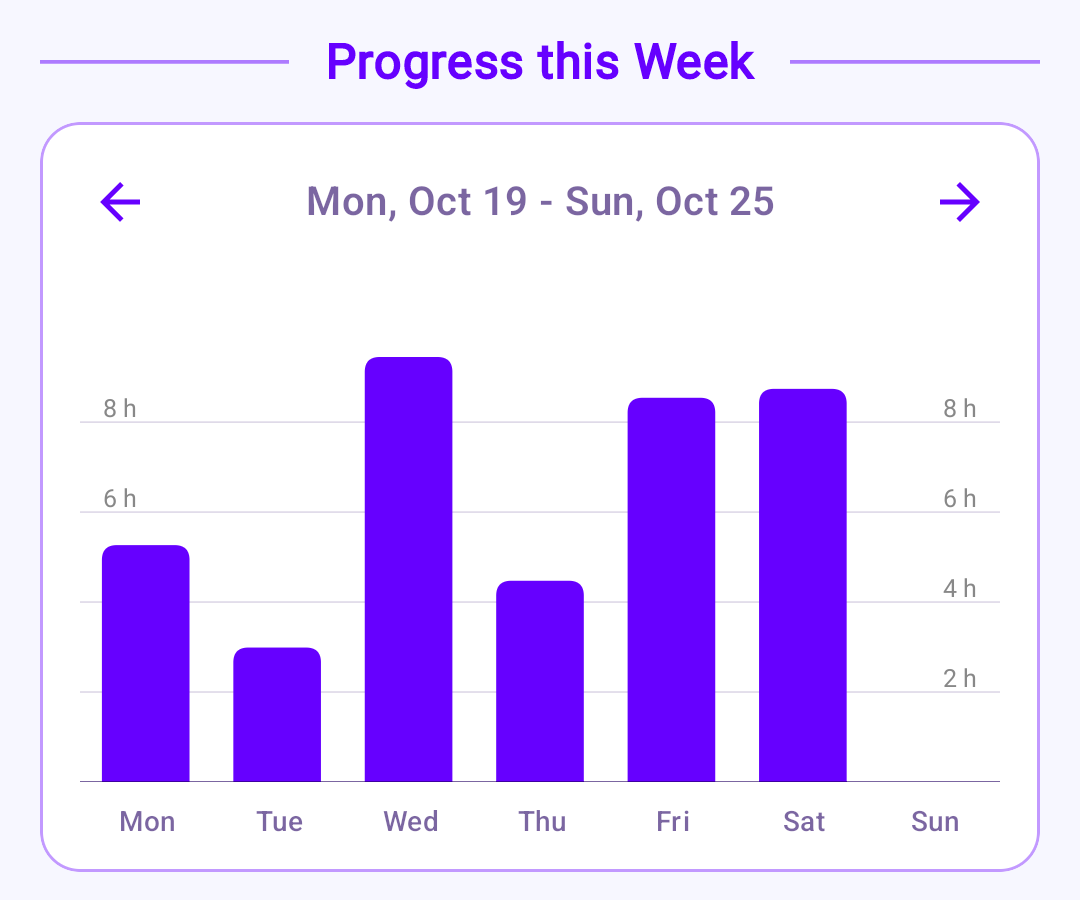
Prefer to see totals? Switch to bar charts showing the time spent or completions recorded for a habit.
The weekly view breaks activity down by day; the yearly view breaks it down by month. Swipe to explore earlier or later weeks and years.
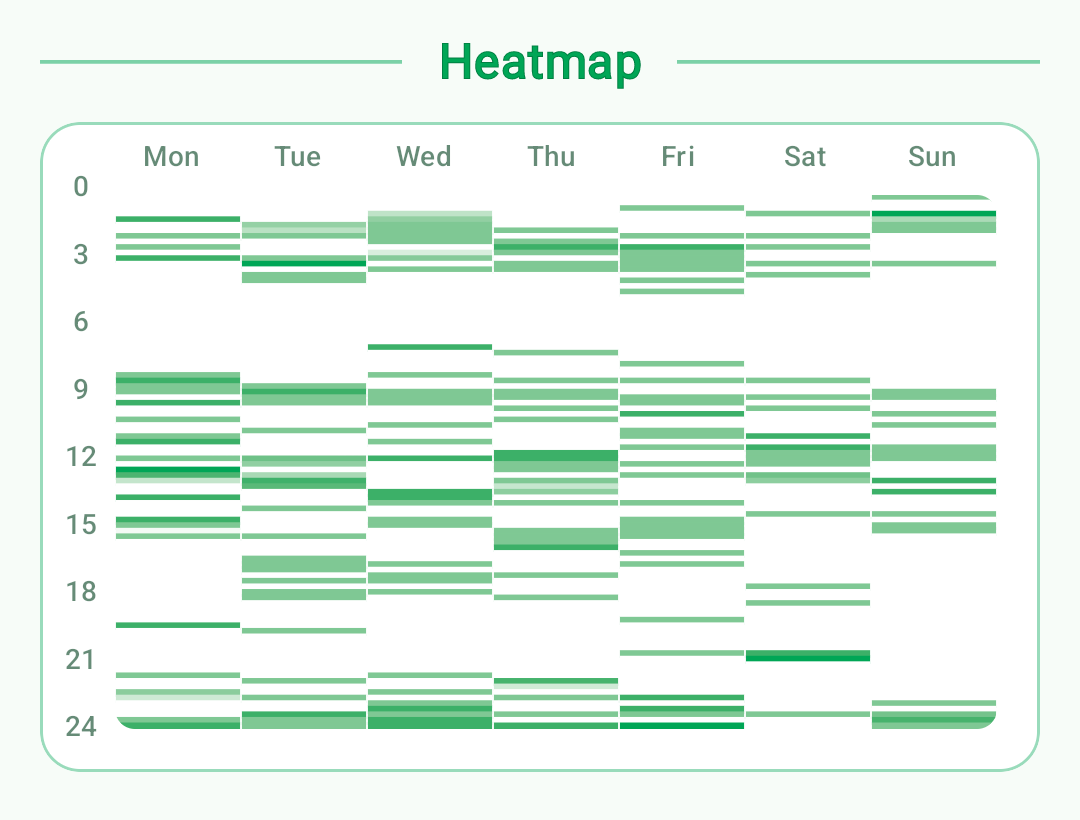
See when you tend to do a habit, by time of day and day of the week. The heatmap combines your recorded activity across weeks, so you can spot patterns; or discover that there really isn't one.
Your streak, total completions, total recorded time; and (surprisingly useful) your average completion time.
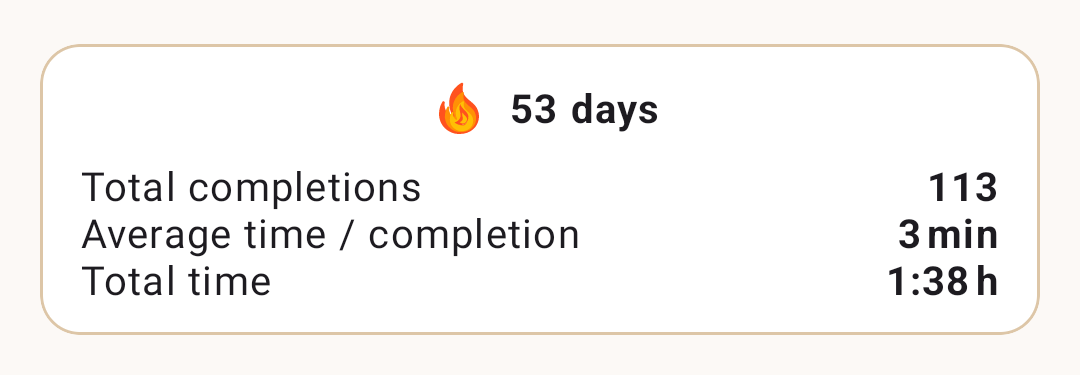
That average often holds surprises. Since I have become aware that cleaning out the cat litter takes less than three minutes (even though it feels way longer), it has become much easier to get myself to do it. On the other hand, it turns out a “quick Costco trip” will absolutely take more than the half-hour I anticipate.
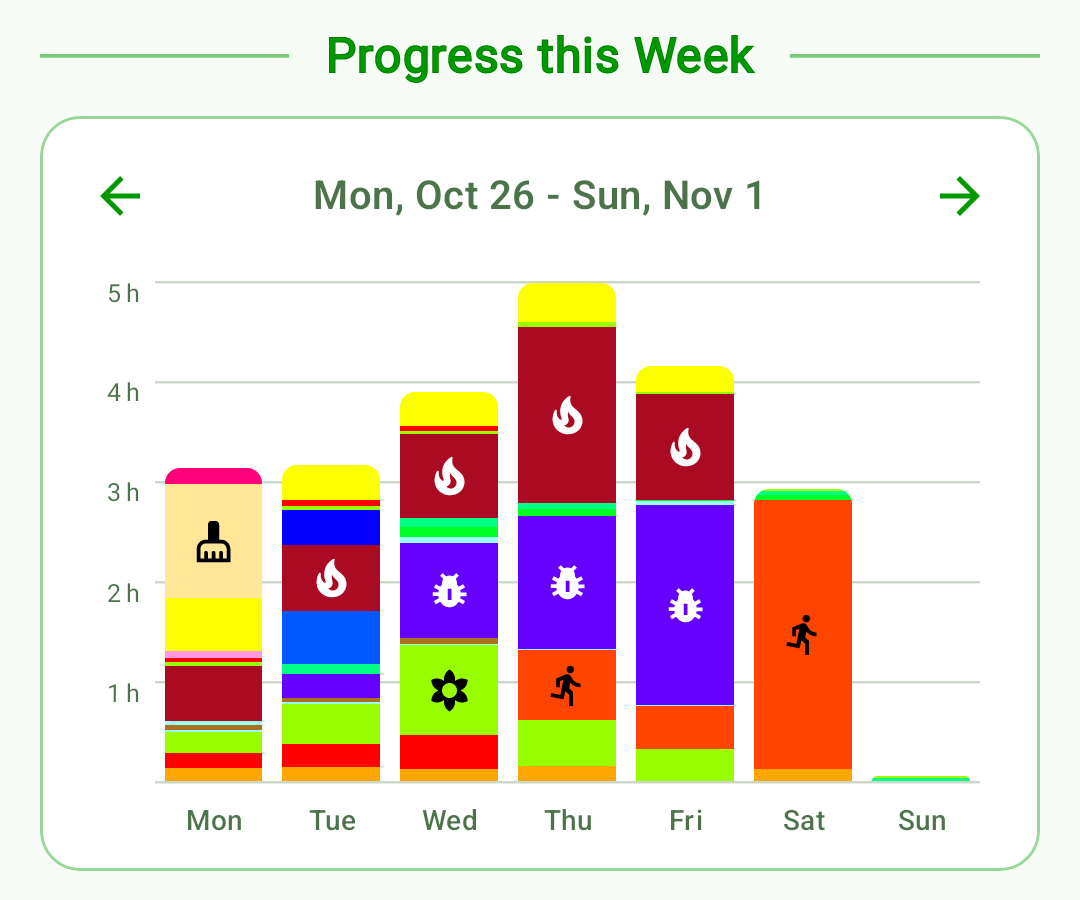
See all your habits together. Each colour represents a habit, with its activity stacked into the daily or monthly total. Compare how much you did across the week or year, and see which habits contributed to each total.
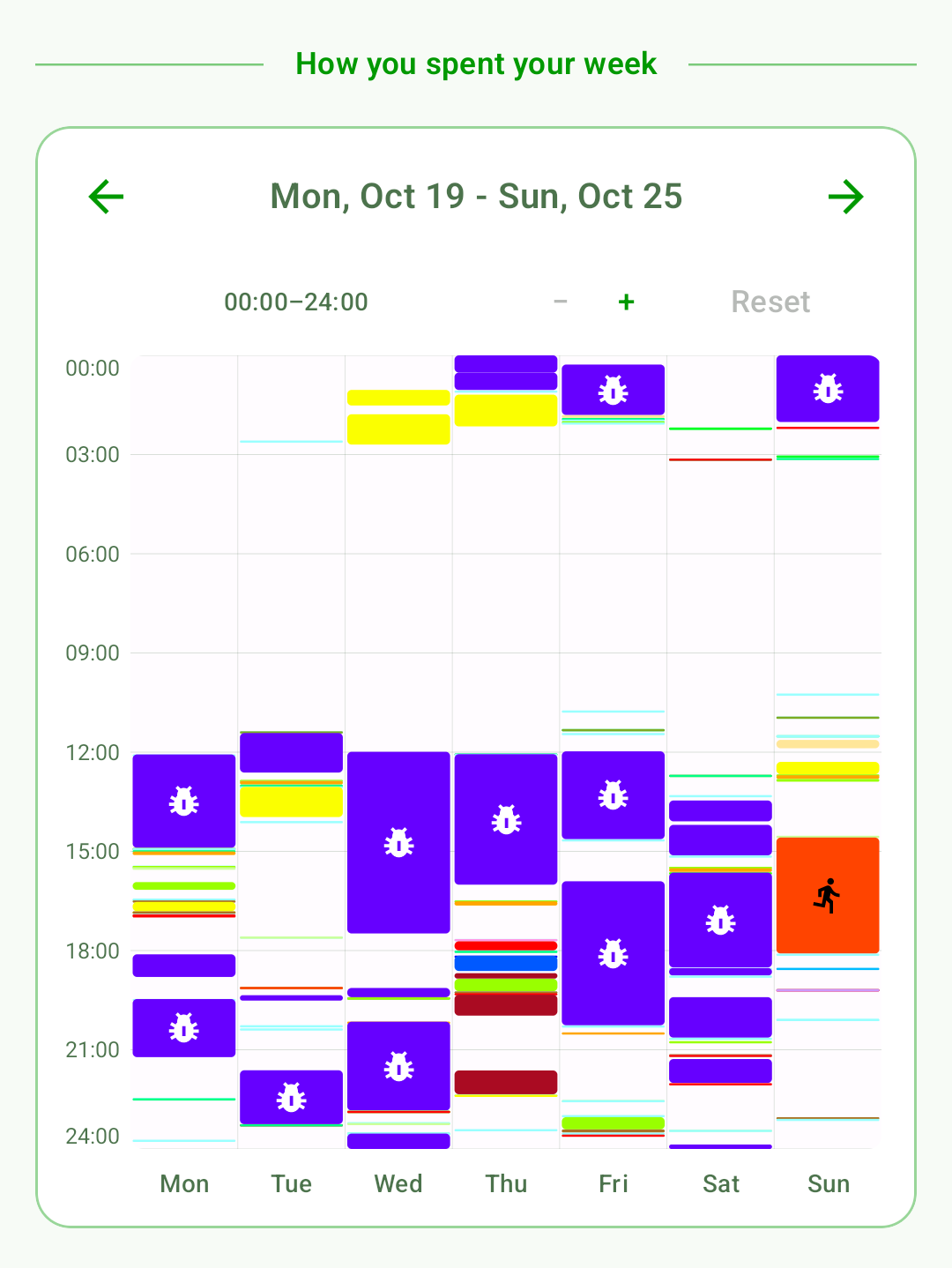
Where did the week go?
Have you ever wondered why it's already Friday and where the rest of your week went? Now you can check.
The weekly activity log shows when you did what during any given week. You might find you've accomplished rather more than you remembered.
(according to me)
I built this around the things I struggle with. After using it myself, these are the little details that seem to make a difference.
The colorful bubbles with symbols get processed differently, somehow, than a written list entry. It's akin to leaving the things you need to do out on your desk: The meaning is immediately understood.
You make a decision what you are going to do right now by selecting a bubble and starting its timer. And when you get distracted and check your phone - bang, there's the timer, reminding you what you are doing.
It acknowledges the effort you've put in; even when you are not all the way done with the task! Doing half a list item gives you nothing, so you might not even start.
Classical time blocking does not work for me (I overrun the very first time block and find myself off schedule). Timed bubbles work similarly, but without blocking out a specific time of day: You only need to accumulate a set amount of time today (or this week), whenever. You can't fall behind. During this time, nothing else matters.
For an extra boost, you can decide to ONLY do the task for the target amount of time. What doesn't get done will have to wait. That focuses you: It's a kind of deadline ("Do I really want to leave that mess until next week?"), and you know that after the time has elapsed, you will be free.
Pricing
The core habit tools are free to use for as long as you like.
Pro adds activity statistics and advanced scheduling options with one purchase.
No subscription.
Try Pro by watching an optional ad. Each ad unlocks the Pro features for 15 minutes. Ads only play when you choose this option; there are no forced ad interruptions or other ads while using the free app.
$0
US$4.99once
This is the US price. Prices are lower in some countries to help keep Bubble Habits accessible to everyone. Check the app for your local price.
Everything in Free, plus:
FAQs
People who find long lists overwhelming, forget recurring tasks, struggle to keep fixed routines, or want a clearer picture of their time. You can use it for everyday maintenance and personal goals. You don’t have to become a perfectly organized or disciplined person for it to be useful.
Bubble Habits helps before you do the task, as well as after. It schedules recurring activities for you, and highlights what needs attention right now without having to scan through every item in a list. Flexible targets and scheduling help fit the work into your actual week; statistics let you look back afterward and gather some dopamine from what you have accomplished.
No. Set daily, weekly, monthly or yearly targets, in terms of repetitions or time. Pro adds more precise rules, such as particular weekdays, dates, months and preferred times, as well as cooldowns. Streaks count your days of contributing to a goal, accordingly.
As a habit becomes overdue, its bubble grows according to its urgency setting, to prevent it from slipping your mind. You can complete it later, or, if you actually don't want to be reminded right now, manually reschedule it. Missing the required target for an interval resets its streak. ou can optionally carry unfinished work (or extra work!) forward into later intervals.
Yes. Use the built-in timer. It starts immediately when you select a timed habit. For a counted habit, you can start the timer with a single tap. Pro statistics show each habit’s average recorded duration (so you can verify your feeling of how long things take), alongside graphs showing how much you did during any given day, week or month; and how you distributed your time throughout a week.
Your streak counts the days you worked on a habit while keeping up with its targets. It can increase at most once per day; you don't have to do the habit every day to keep it.
For example, with a “3 times a week” habit, completing it on Monday increases your streak. You still need two more completions that week. If you haven't reached three by the start of next Monday, your streak resets to zero. On the other hand, if you complete the habit on four days of a week, each day increases the streak!
Days or intervals excluded from your schedule give you extra time: the streak only resets when the next scheduled interval starts. For a daily habit scheduled only on Mondays and Wednesdays, missing Wednesday leaves you until the end of Sunday to catch up and save your streak, before the next scheduled day begins on Monday.
If you want it to. There is an optional streak reminder, which will tell you at night (at a time of your choosing) if there are still habits which would lose their streak if you don't complete them today. Also, if you have a habit timer running while the Bubble Habits app is in the background, a silent notification will show this.
The core tools for scheduling and tracking your habits are free, indefinitely. There are optional Pro tools such as statistics, which you can access by purchasing the Pro upgrade, or temporarily by watching an ad.
Pro is a one-time in-app purchase: US$4.99, with lower pricing in some countries. Check the app for your local price. The upgrade is tied to your Google account.
Yes. Your Pro purchase is linked to your Google account. Reinstall Bubble Habits from Google Play using the same account, and Pro will be restored automatically, including on another Android device.
Watching ads is entirely optional. You can choose to watch an ad to unlock Pro features for 15 minutes. Any advanced habit settings you configure during that time remain active after temporary Pro access expires. There are no banners or forced ads, and the purchased Pro version has no ads.
Habit tracking works offline, without a Bubble Habits account. Optional advertising and purchases need an internet connection.
Habit settings and records are stored on your device. Android’s standard backup can help preserve app data, depending on your device and backup settings; Bubble Habits does not currently provide live syncing between devices. See the privacy policy for details.
You can use the standard Android backup to restore your habits and habit completion history on a new phone.
No. Your habit data is stored locally on your phone, the developer has no access. See the privacy policy for details.
Bubble Habits is currently only available for Android.
I may develop an iPhone version if there’s enough interest.
The minimum Android version to run Bubble Habits is Android 7.0 (Nougat), which launched in 2016. Therefore, Bubble Habits runs on about 99.5% of all Android phones.
Email me at [email protected].
